TASK
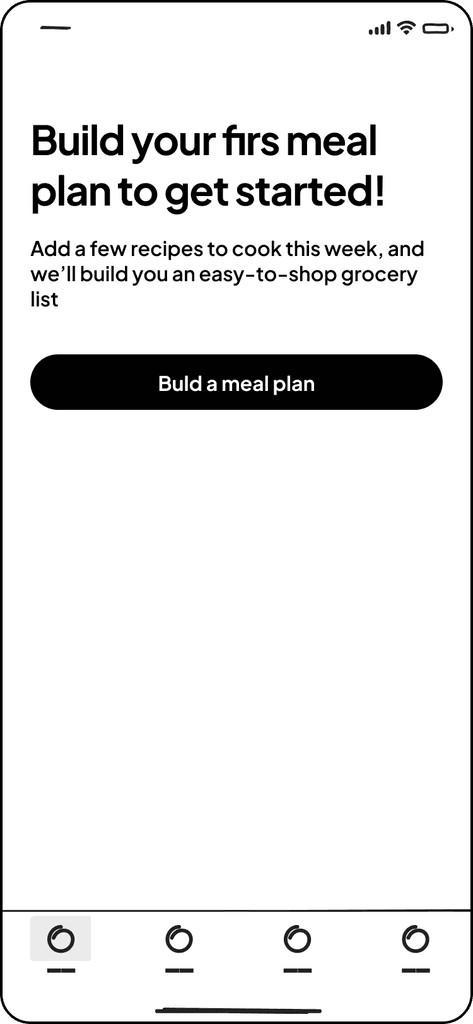
Need develop an interface for a mobile app with food recipes. Suggest a USP or a feature within the mobile app. that will make it stand out among the competitors and increase user engagement in the use of the product. The target audience is men & women aged 20-35.
MY ROLE
Research, product design, design system, user-testing
THE TEAM
Designer
TIMELINE
3 Days
Prototyping
Wireframes of the application's main functionality (level of detail of your choice)
USP or feature
Think of a USP or feature that will make the app stand out from the competition and allow you to increase user engagement. What metrics will you use to measure success?
Show Flows
Search for recipes + demonstrate how the filters work
The cooking process with the selected recipe
research
Why? Who? When and Where? What? Priority of Ideas & Visualize the Customer Journey
research / why
🧠 Why is this application important?
A mobile food recipe app simplifies the cooking process by providing users access to a wide range of recipes for any taste and skill level. It helps save time, learn new culinary techniques, and inspires culinary experiments.
🛠️ What problem are we trying to solve?
What problem are we trying to solve? Many people in the 20-35 age group are actively engaged in work and study, with little time for cooking. They need quick, healthy, and tasty solutions for their daily meals.
💁 What are the benefits for users?
Simplified cooking process, time savings, opportunity to experiment with new recipes and culinary techniques.
🌎 What impact will this have on the world?
Increase in culinary literacy and independence, promotion of healthy eating among young people.
research / who
These examples illustrate different situations users may find themselves in, their motivations, and desired outcomes when using a recipe app.
A complete list of users by different types was compiled and ranked. This exercise laid the foundation for my MVP.

Young Professional
When I come home after a long workday and want to quickly prepare dinner,
I want to find quick and healthy recipes with minimal ingredients,
To save time on cooking and maintain a healthy diet.

Student
When I have a limited budget and want to cook something tasty,
I want to find recipes with affordable ingredients,
To save money and diversify my diet.

Young Parent
When I need to quickly feed the whole family,
I want to find easy-to-make recipes that both kids and adults will enjoy,
To save time on cooking and provide healthy meals

Special Dietary Needs
When I need to prepare meals that align with my diet,
I want to find recipes that meet my dietary restrictions (e.g., gluten-free, vegan, keto, etc.),
To diversify my diet and satisfy my dietary needs.

Experienced Chef
When I want to improve my culinary skills and try new techniques,
I want to participate in advanced culinary masterclasses and discover innovative recipes,
To enhance my skills and get inspired by new ideas.
research / when & Where
Physical location
In stores when purchasing groceries or at home in the kitchen.
Need triggers
Hunger, desire to experiment in the kitchen, need to quickly prepare food, special occasions.
Time of use
Often in a hurry, when planning weekly menus or before going to the store.
User emotions
Interest, joy of discovery, satisfaction from successful cooking
research / What
Unique selling proposition

🥘 Social kitchen
A feature that allows users to create their own recipes, share them with friends and subscribers in the app, and receive ratings and reviews.
⚠️ Low implementation costs, high potential for increased engagement.
📝 Smart shopping list
Automatic creation of a shopping list based on selected recipes and tracking prices in local stores through integration with online services.
⚠️ Moderate costs, high practical value.
🥗 Personalized nutrition plans
Сustomization of recipes based on individual dietary preferences and health goals.
⚠️ High costs, but provides significant added value.
❄️ What's in my fridge?
A feature that allows the user to input ingredients they have on hand and receive recipes that can be prepared using those ingredients.
Interface: graphical, with voice input capability.
⚠️ High level of engagement, ease of use, usefulness for all levels of culinary experience.
👩🏼🍳 Real-time culinary masterclasses
The ability to join live streams hosted by culinary experts and cook along with them. Video streaming with interactive elements.
⚠️ Low implementation costs, high potential for increased engagement.
Educational content, interesting for both experienced and novice cooks.
🦾 AR cooking assistant
Аugmented reality to display step-by-step instructions on the kitchen countertop or other horizontal surface.
⚠️ High costs and technical complexity, but innovative and attractive.
research / process
Bucketing user jobs into the stages of the user journey
User jobs from the Jobs-To-Done exercises helped us see patterns and map out the user journey into seven broad buckets. For the MVP we ideated concepts under each of these buckets.
Discovery
Exploring Recipes: Users browse through various recipes in the application.
Product Onboarding: Interactive guide on the application's features.
Basic Training: Teaching users basic culinary techniques and app navigation
Setup
Profile Creation: Users set up their profile, specifying dietary preferences and goals.
Notification Settings: Configuring notifications for new recipes, special offers, and events.
Adding Ingredients: Users input ingredients they have at home and their preferences for products.
Publishing
Creating & Sharing Recipes: Users create and share their own recipes.
Social Media Integration: Sharing recipes on social media platforms and other channels.
Feedback: Receiving feedback and ratings from other users.
Search
Recipe Search: Users search for recipes based on ingredients, cooking time, difficulty, and dietary preferences.
Filtering and Sorting: Using filters to simplify finding specific recipes.
Saving Recipes: Bookmarking favorite recipes in a personal collection.
Management
Shopping List: Automatic creation of shopping lists based on selected recipes.
Meal Planning: Creating a weekly menu and managing recipes.
Ingredient Tracking: Managing the list of ingredients available at home.
Engagement
Participating in Masterclasses: Joining live streams and culinary masterclasses.
Community: Interacting with other users, participating in discussions and culinary challenges.
Feedback: Leaving reviews and comments on other users' recipes.
Monitoring
Progress Tracking: Monitoring progress in achieving dietary and culinary goals.
Usage Analysis: Analyzing which recipes users cook most often and which app features they use.
User Feedback: Collecting feedback on the application for further improvement.
Prototype
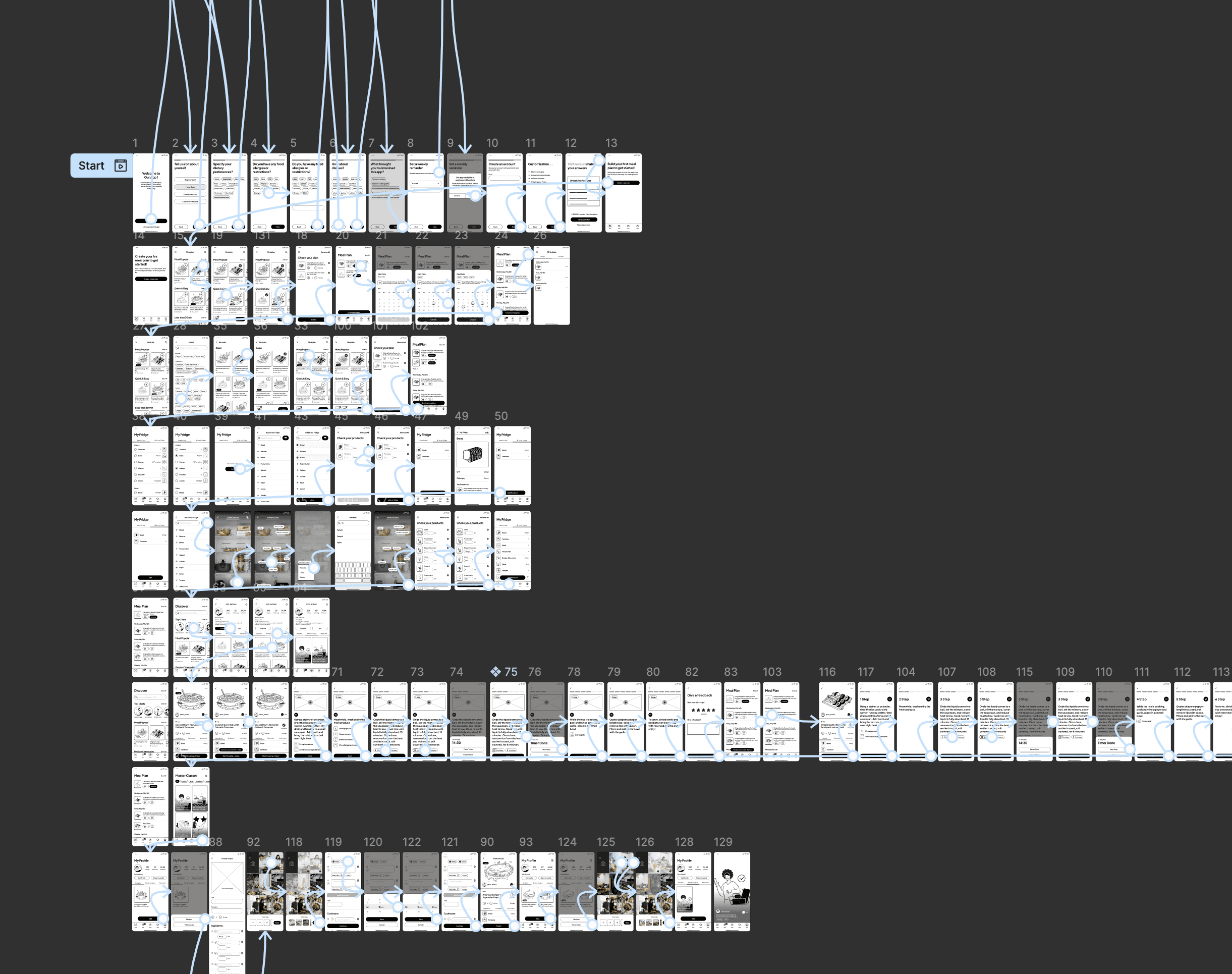
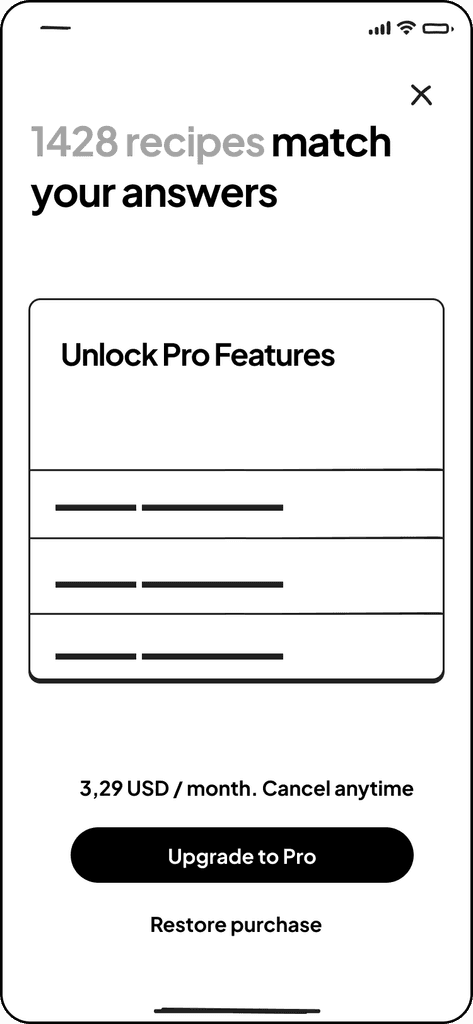
Step-by-Step Onboarding for a Recipe Application
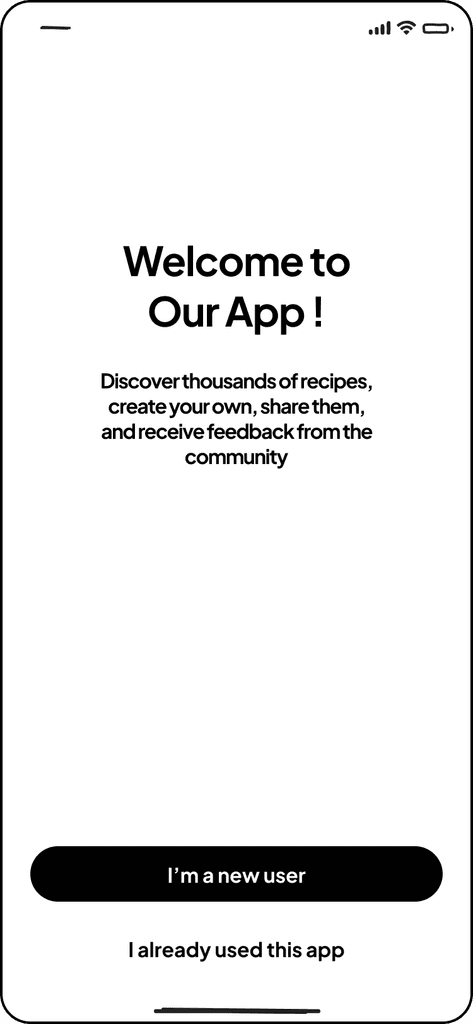
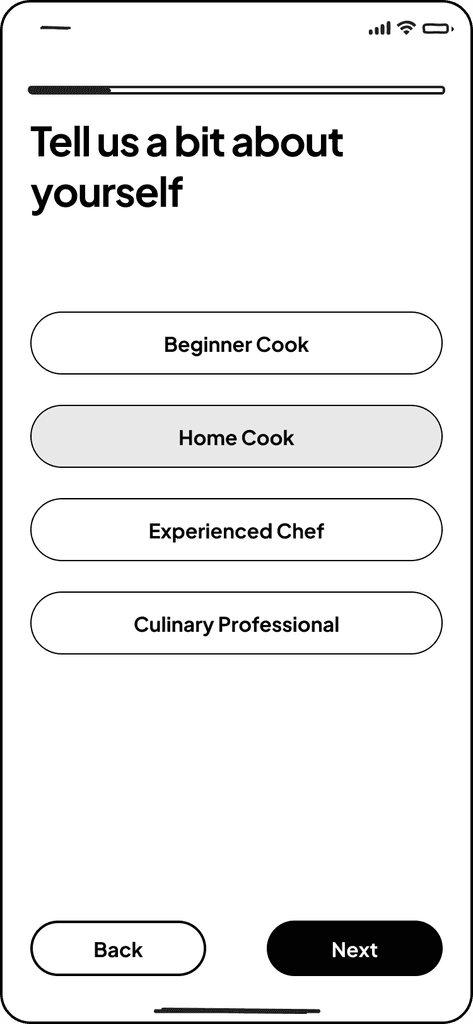
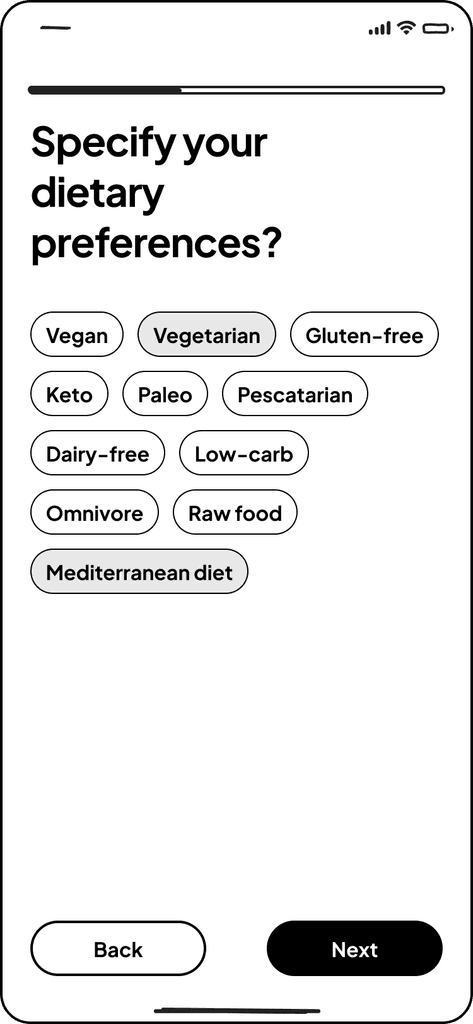
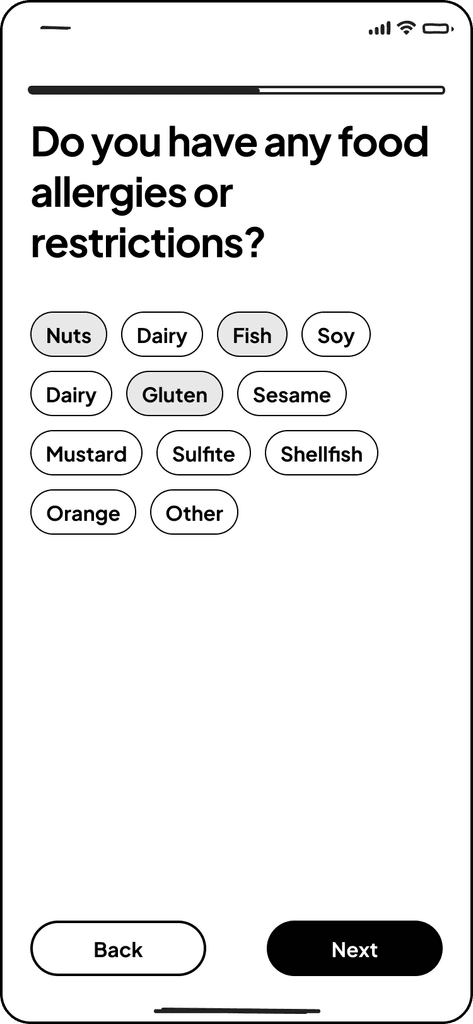
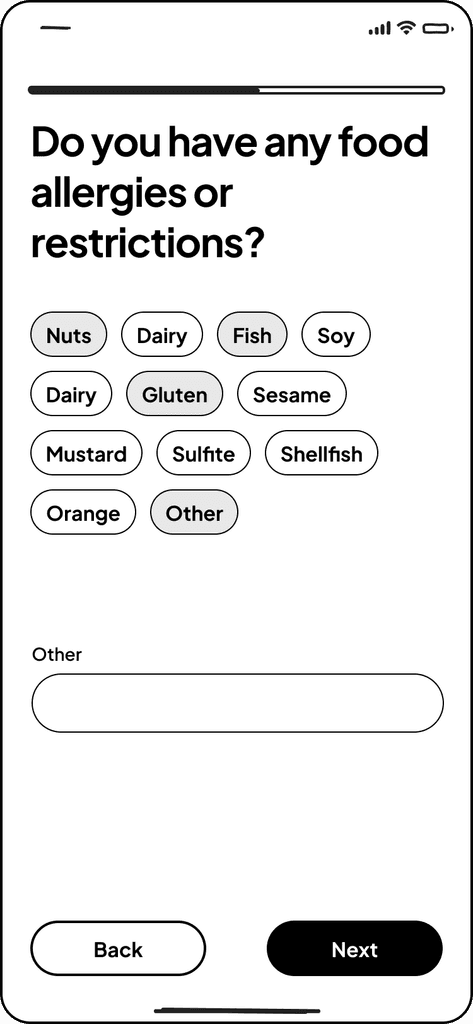
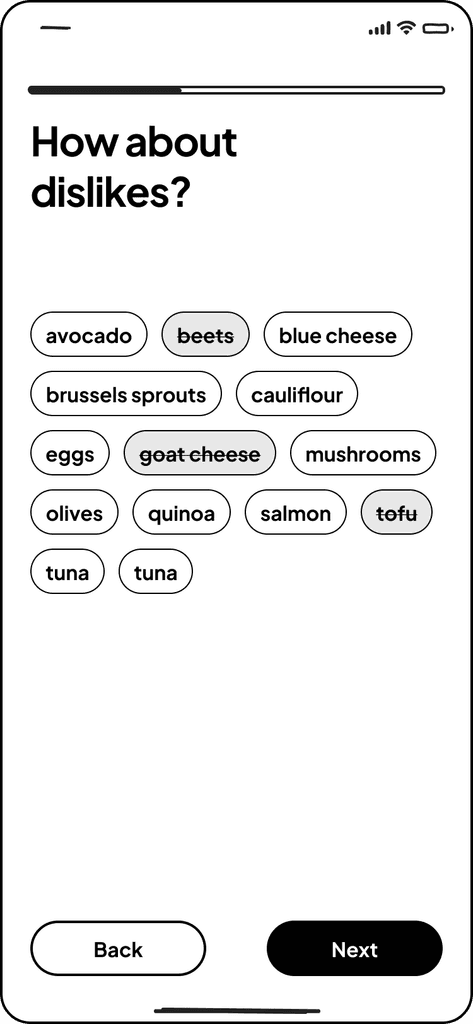
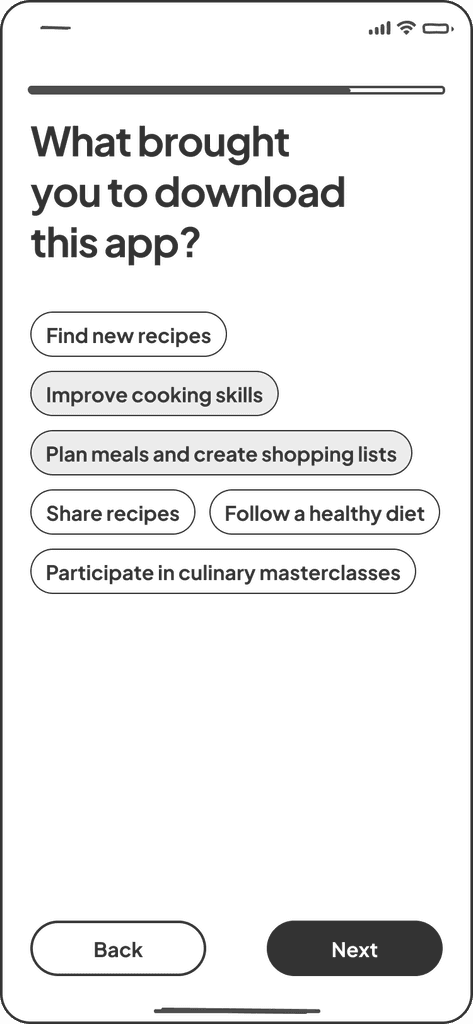
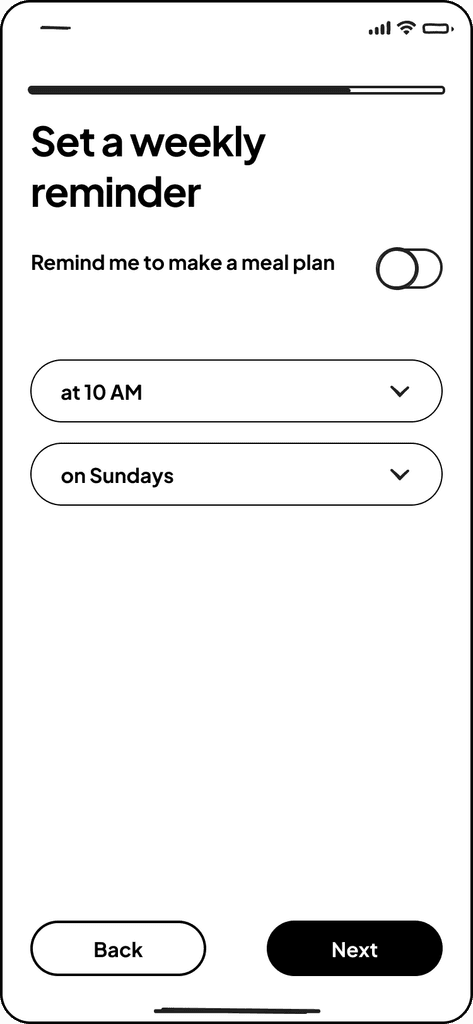
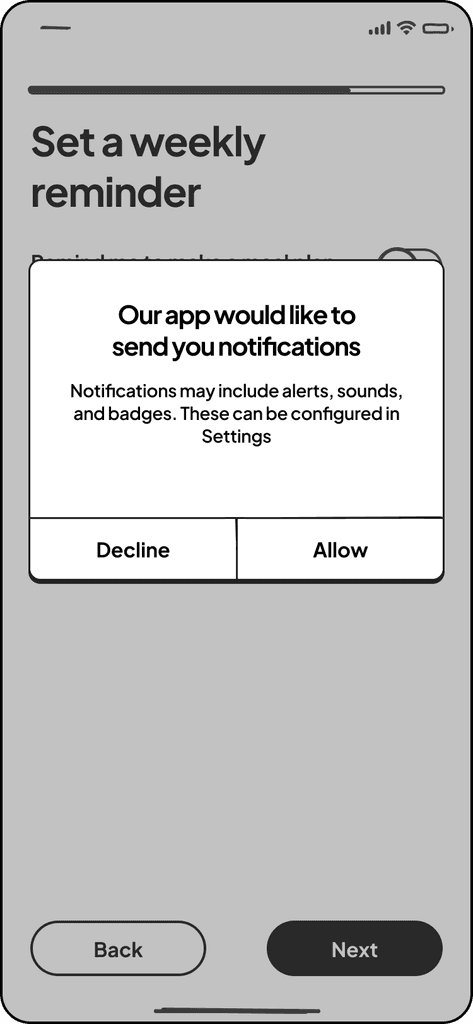
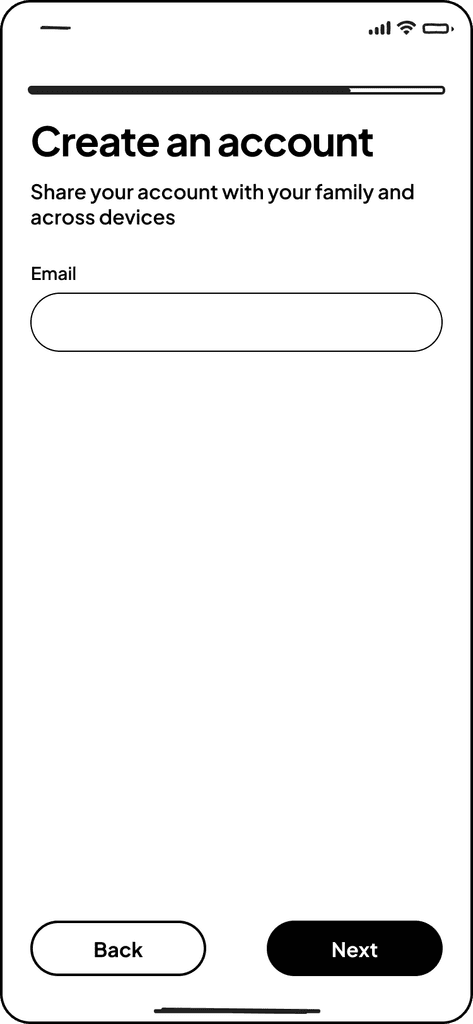
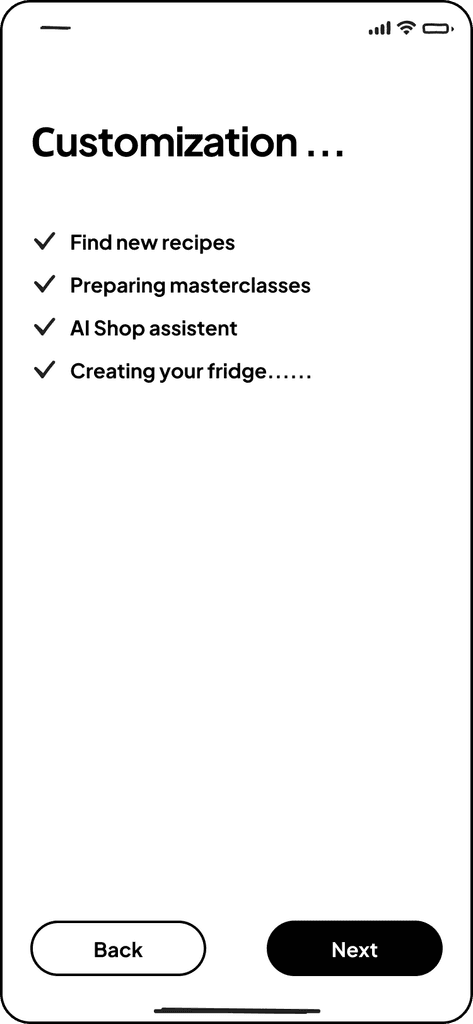
This onboarding provides users with a convenient and clear way to customize the app to their needs, which contributes to creating a positive experience and increases the likelihood of active use of the app in the future.
TASK
Need develop an interface for a mobile app with food recipes. Suggest a USP or a feature within the mobile app. that will make it stand out among the competitors and increase user engagement in the use of the product. The target audience is men & women aged 20-35.
Brief Description of Onboarding
The onboarding process collects essential information about the user to tailor content to their needs. The interface is simple and intuitive, reducing the likelihood of confusion. Features are designed to address specific user problems, enhancing engagement. Reminders help maintain activity. Future plans include adding social and interactive elements for additional motivation.
🥗 Personalized nutrition plans
📝 Smart shopping list
Here are the proposed sections for tab bar, designed to make the user interface both convenient and functional
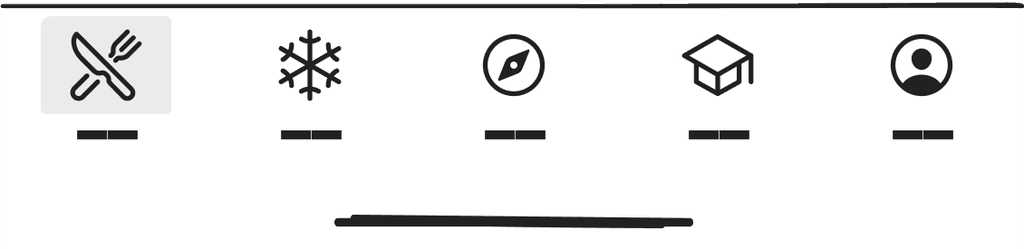

Meal Planning: Features for creating and managing meal plans.
Recipe Recommendations: Personalized recipes based on preferences and allergies.
Reminders: Set reminders for cooking and updating meal plans.
🦾 AR cooking assistant
🥗 Personalized nutrition plans

What to Buy: Shopping list based on selected recipes.
What's Already There: Track the ingredients already in your fridge.
Photos: Ability to photograph your fridge or receipts to automatically update your inventory.
Expiration Tracking: Reminders about the expiration dates of products.
📝 Smart shopping list
🦾 AR cooking assistant

Recipe Search: Ability to search for recipes by ingredients, name, or type of dish.
User Search: Find other users who share their recipes.
Filters and Sorting: Convenient tools for filtering and sorting search results.
🥘 Social Kitchen
🥗 Personalized nutrition plans

Masterclasses: Video lessons and masterclasses from professional chefs and culinary bloggers.
Tips and Tricks: Useful cooking tips and techniques.
👩🏼🍳 Culinary masterclasses

Account Settings: Personal information, security settings, and notifications.
My Recipes: Create and manage your own recipes.
Social Interaction: View likes, comments, and followers.
Usage History: Statistics and history of app usage (cooked dishes, created meal plans, etc.).
🥘 Social Kitchen
👩🏼🍳 Culinary masterclasses